LTC decode
Reads SMPTE timecode from any audio input — interface, console matrix, or DAW. 24, 25, 29.97, 30 fps including drop-frame.
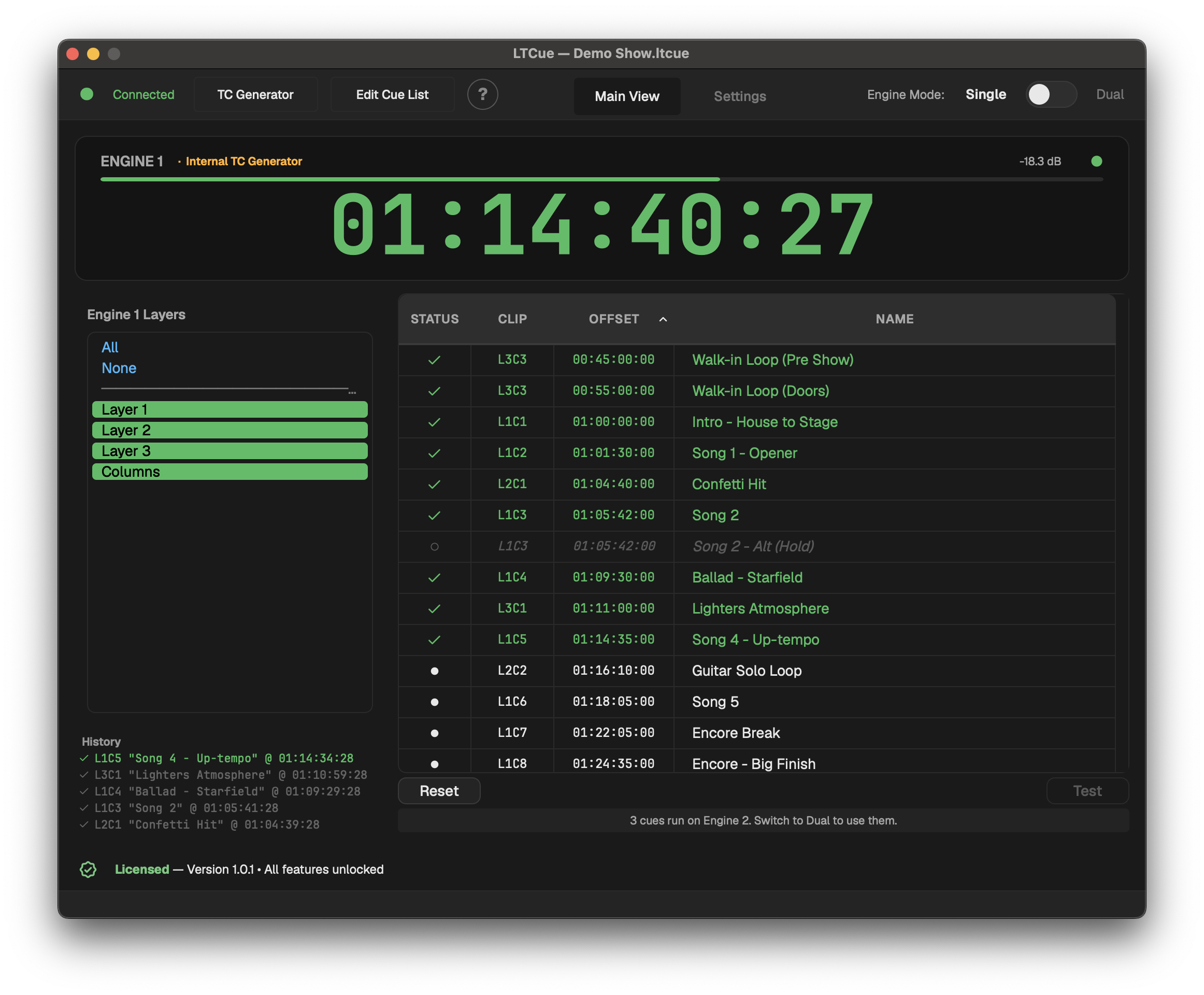
LTCue listens to incoming SMPTE/LTC and triggers Resolume Arena clips with frame accuracy. Built for touring, broadcast, theatre, and houses of worship — anywhere video has to land on the beat.
Great software — solid, easy to use, simple. Has lightened my load and solved a lot of problems. Highly recommend.
Live productions run on timecode. Lighting reads it. Audio reads it. But video clip playback in Resolume has historically meant either pre-rolling everything in lockstep, or trusting a human at a keyboard to hit the cue at the right second. LTCue closes that gap. It listens to your master LTC source, and when the frame number matches a cue's trigger point, it sends OSC to Resolume — instantly, deterministically, every time.
Reads SMPTE timecode from any audio input — interface, console matrix, or DAW. 24, 25, 29.97, 30 fps including drop-frame.
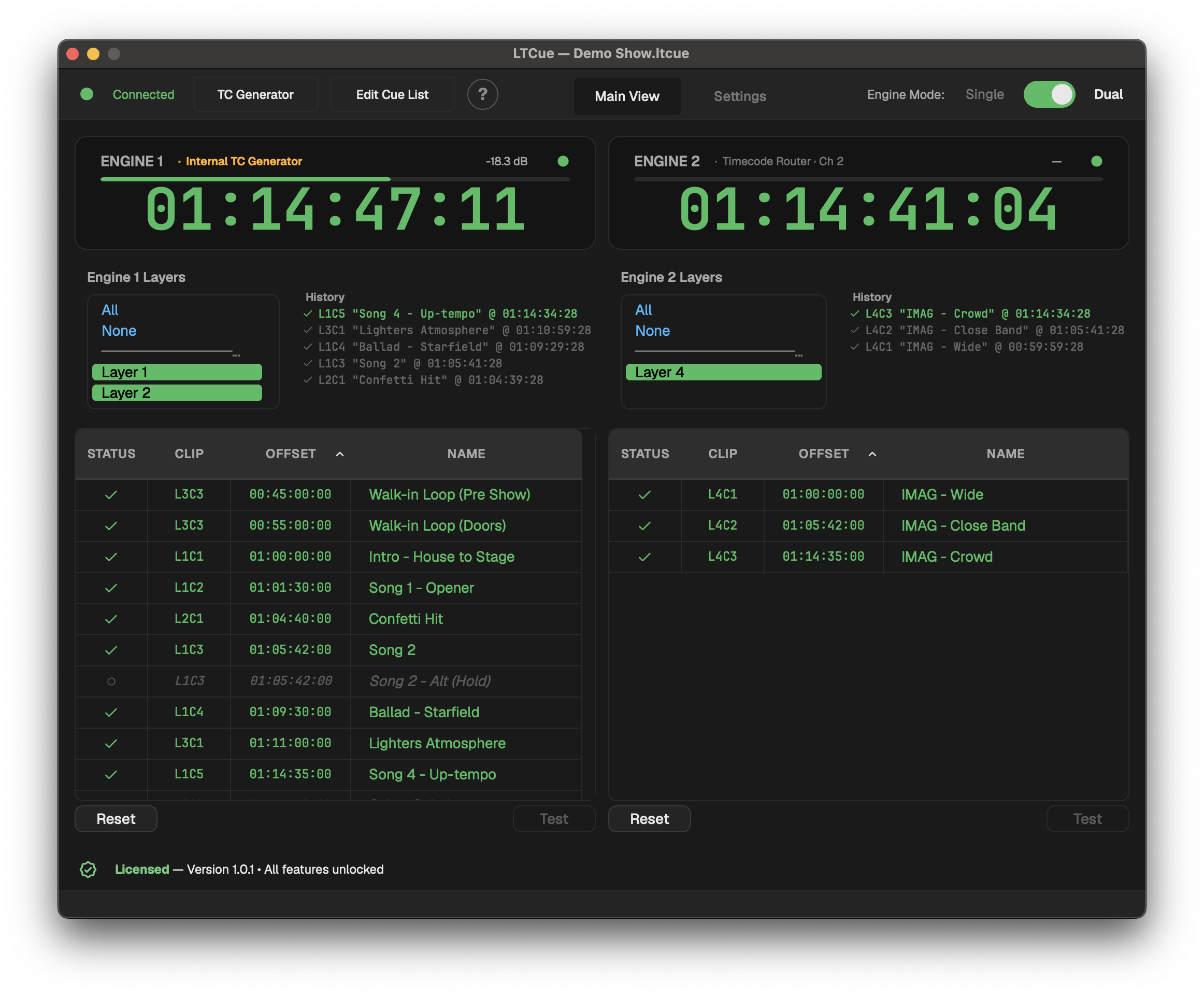
Run two timecode sources at once, matching Resolume's two timecode inputs: Engine 1 runs your SMPTE 1 clips, Engine 2 your SMPTE 2 clips — each from its own timecode input and its own Resolume connection. Timeline, BPM Sync and column cues run on whichever engine you choose.
Direct OSC over UDP — no MIDI bridges, no network dance. Triggers layers, columns, and clips natively in Resolume Arena.
Cues are matched frame by frame, with lookahead compensation so clips land where you intended — and timing doesn't drift over a two-hour show.
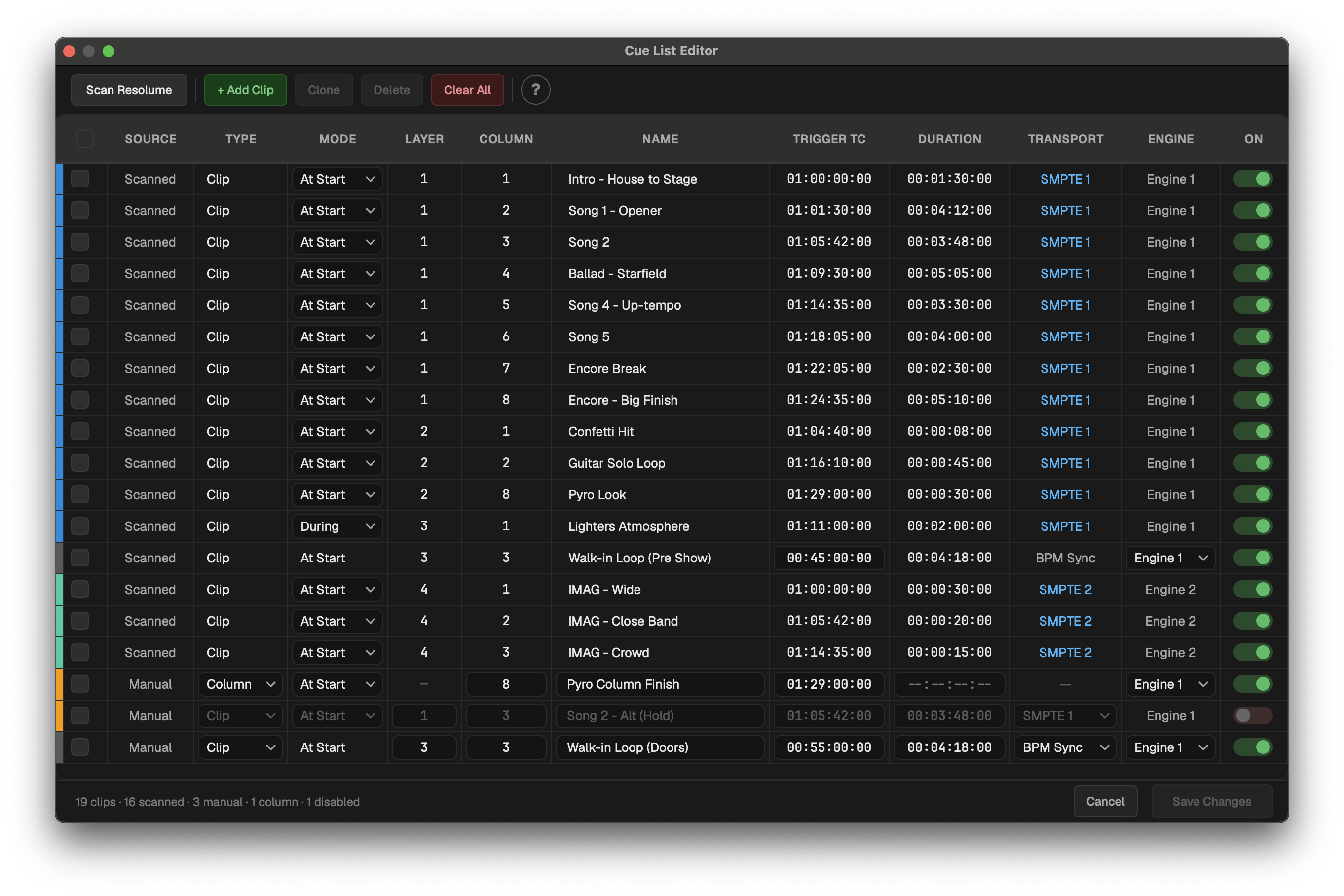
Build and edit cue lists in-app. Manual entry, trigger modes, durations, color coding, and clip/column targeting. No external editor needed.
Self-contained show format with cues, settings, audio, and Resolume connection — versioned and forward-compatible.
Patch your master timecode into any audio input on the host machine. LTCue locks on within seconds and warns you if the framerate doesn't match your settings.
Add cues with trigger times, target layers, and clips. Assign per-cue trigger modes — At Start, At End, or During. Save as .ltcue.
When the LTC timecode matches a cue, OSC fires to Resolume. No human in the loop. Same result every show, every night.
Build cues with timecodes, target layers, durations, and trigger modes. Inline timecode entry with validation, per-cue color coding, and enable/disable toggles. No external editor required.
Run two timecode sources at once, matching Resolume's two timecode inputs: Engine 1 runs your SMPTE 1 clips, Engine 2 your SMPTE 2 clips, each from its own input and Resolume connection. Timeline, BPM Sync and column cues run on whichever engine you choose.
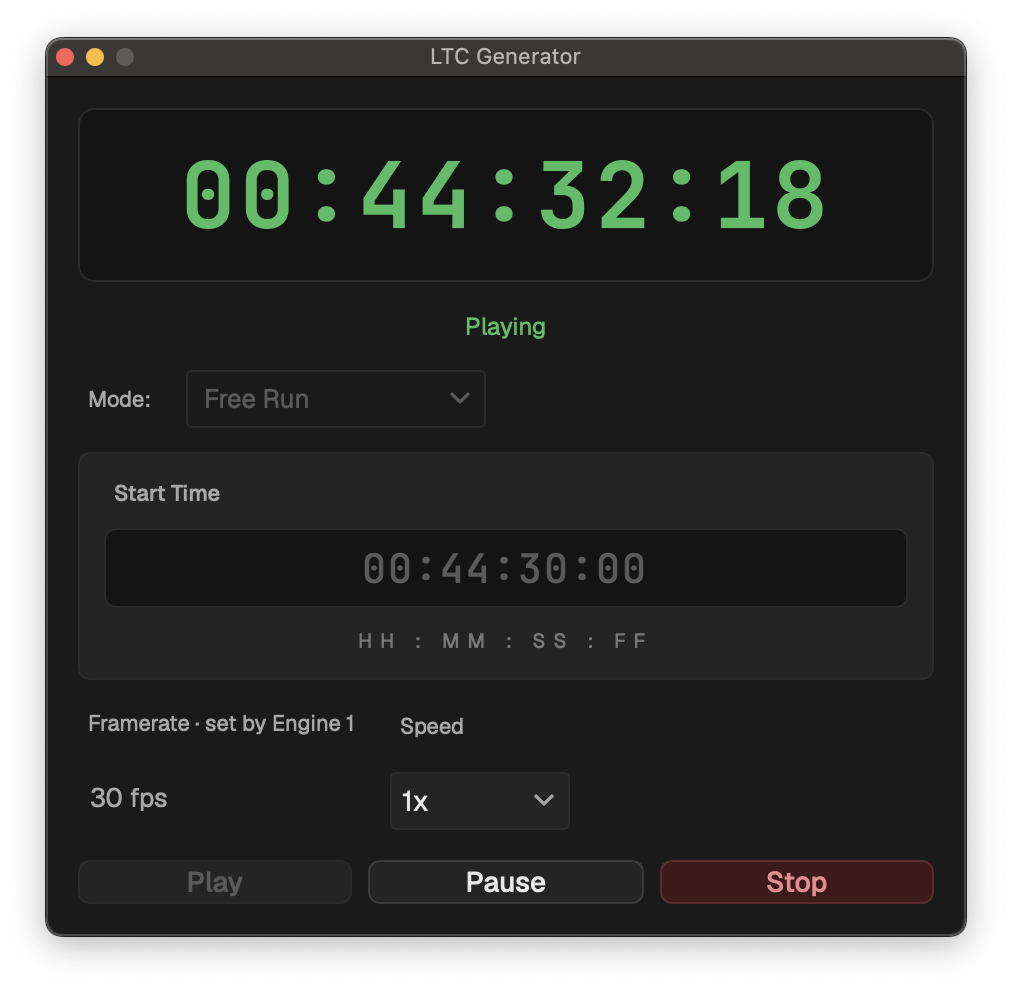
Run shows from LTCue's own clock, or build and test cue lists without external hardware: Free Run from any start time, or Time of Day.
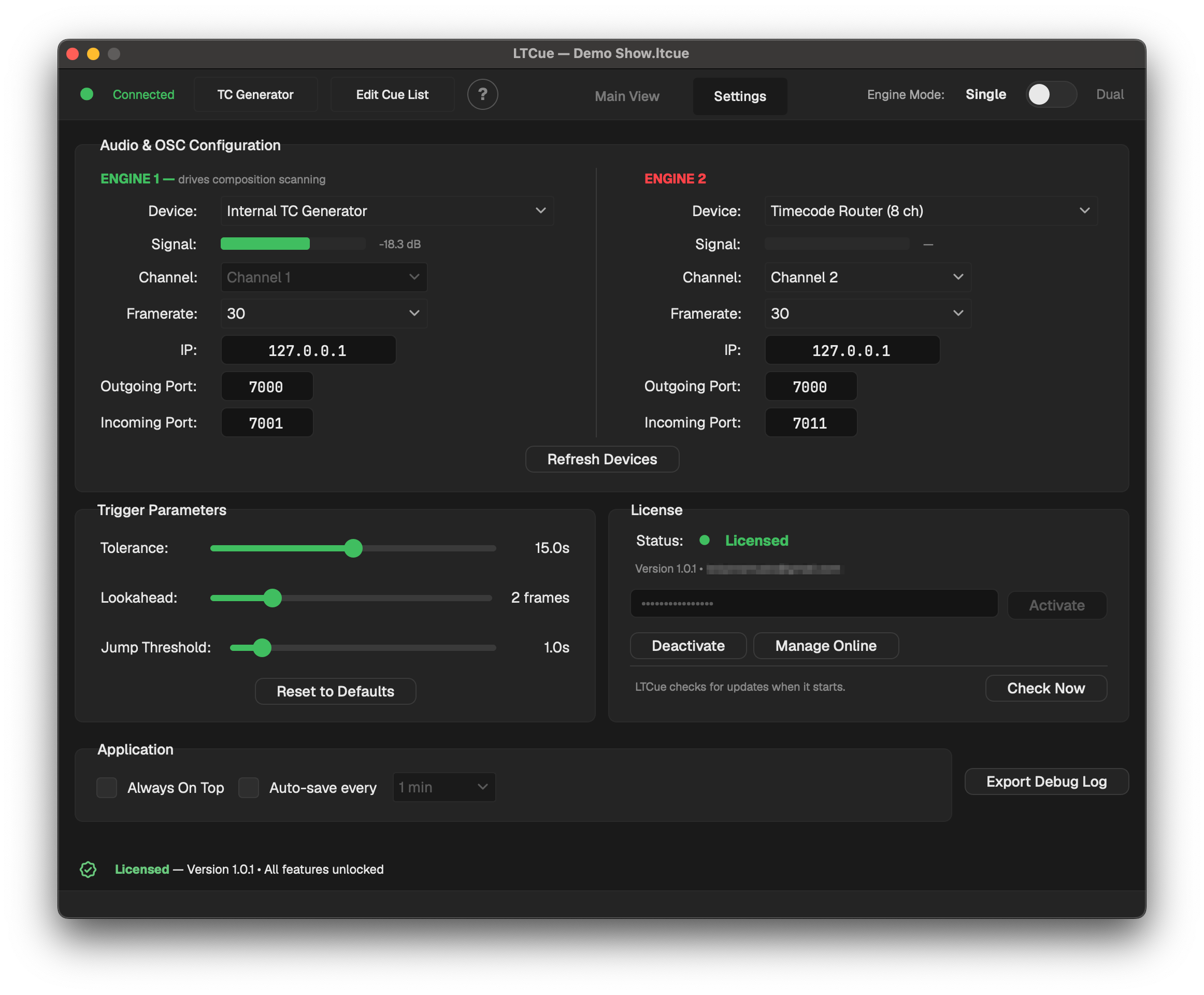
Audio device per engine, OSC ports, framerate mismatch warning, lookahead and tolerance windows. Set it once per show and store it inside the .ltcue file.
No subscription. No seat fees. Licensing never interrupts a show. Pay once, use it on two computers (your studio Mac and your show laptop), and ship it.
Run LTCue on your rig with your timecode source and your Resolume rig. The trial is fully functional within session limits — no nag screens, no watermarks on your cues. Decide for yourself.